Guides & Custom28 min read
Create t-shirts with custom designs that everyone will want to wear
By
Published on 15 de Jun 2026
A t-shirt is much more than a piece of fabric; it’s a blank canvas for your passions, your sense of humor and, ultimately, your identity. In a world flooded with mass-produced fashion, custom-designed t-shirts have become a powerful tool for expressing yourself. They’re the perfect opportunity to bring those ideas in your head to life, whether they’re from anime, video games or awesome phrases, and turn them into a unique garment that speaks for you.
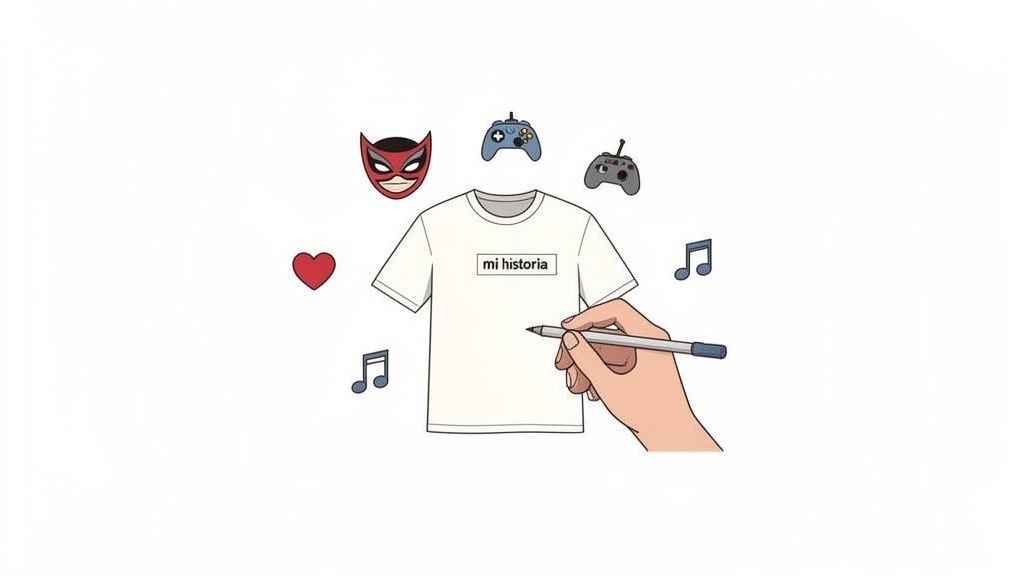
Creating a custom t-shirt is a creative journey that goes far beyond taking a drawing and printing it. It’s about telling a story, your story. Whether to shout to the world your love for a manga character, share an inside joke with your gaming squad or even take the first step in launching your own brand, every design is a statement of intent.
This guide is not your typical instruction manual. It’s a collection of real, hard-won experience, designed to save you from making rookie mistakes. We’re going to walk you through every phase of the process: from how to turn that idea bouncing around in your head into a professional design file to the final care tips to make sure your creation stands the test of time.
The fact that custom garments are everywhere is no accident. It reflects a growing desire to stand out, to consume products that really mean something to us. People are actively looking for ways to express their individuality, and clothing is undoubtedly one of the most direct channels to do so.
This movement has driven a market that keeps growing. In fact, the global custom clothing market reached a value of 57.55 billion dollars and is projected to reach 145.94 billion by 2033. If you want to dive deeper into the topic, check out the full report from Business Research Insights.
A well-designed custom t-shirt doesn’t just make people turn their heads on the street, it also starts conversations. It’s a way to connect with others who share your passions without having to say a word.
At first, the process might seem like a mess, but if you break it down into clear stages, everything becomes simpler. Before we get into the technical details about file formats or printing techniques, the most important thing is to be clear about the message you want to convey. What story will your t-shirt tell?
Defining your objective will help you make better decisions at each step. For example, humor is an incredibly powerful tool in design. If you’re lacking inspiration, you can see how funny phrases on t-shirts manage to connect with people in a fun and memorable way. The goal is that, at the end of it all, you have a garment that you love to wear.
Getting your custom designed t-shirts to look spectacular doesn’t depend only on a brilliant idea, but on how you turn it into a file that a printing company can understand. I’ve seen incredible concepts that end up in disaster because of a silly technical flaw. Right here is where a professional result is distinguished from one that looks homemade.
Let’s dive straight into the process, from when inspiration strikes you until you have in your hands a bulletproof design file. We’ll touch on key topics like copyright (a trap that’s easy to fall into) and formats that guarantee what you see on your screen is exactly what you end up wearing.
Every great t-shirt is born from an idea. Maybe you want to print your favorite video game character, an iconic phrase from a movie or a logo for your group of friends. Inspiration is everywhere, but it’s crucial to know where you’re stepping to avoid getting into trouble.
Using the image of a famous character or a registered logo without permission can get you into a serious copyright problem. Even if your intention is a sincere homage, if you’re going to sell it, you’re crossing a red line. The solution? Add your own personal touch.
The goal is to capture the essence of what you love and transform it into something that’s 100% yours.
Okay, you already have the idea. Now it’s time to shape it on the computer. Here you’re going to run into the first major technical decision: do you make a vector design or a bitmap (raster) one? Understanding this is the key so that print quality doesn’t disappoint you.
A vector graphic (files like SVG, AI, EPS) is made based on mathematical formulas. Think of it as a recipe: it doesn’t matter if you make it for one person or a hundred, the ingredients adjust and the result is always perfect. That’s why it’s the ideal option for:
On the other hand, a bitmap or rasterized graphic (like PNG or JPG) is like a mosaic, a grid of pixels. If you stretch it too much, those pixels become huge and the dreaded “aliasing effect” appears. It’s the best option for:
A colleague’s tip: If your design mixes text and photos, the best thing is to put it all together in a vector program like Adobe Illustrator or the free Inkscape. This way you keep your text and logos with perfect quality and, at the same time, you can add the images you need.
If you finally decide on a bitmap file, like a PNG, there’s a number you need to remember: 300 DPI. DPI stands for dots per inch and it’s what measures the resolution of your image.
Imagine that each pixel is a little dot of ink that the machine is going to put on the fabric. The more dots there are in each inch, the sharper and more detailed the drawing will be. Images we see on the internet are usually at 72 DPI, which is perfect for a screen but a total disaster for printing.
Sending a file with low resolution is the fastest way to get a pixelated, blurry design with a very cheap look. Always make sure your file is at 300 DPI and at the actual size you want it to be on the t-shirt. If you want a 25 cm wide design, the file has to measure 25 cm and have 300 DPI. That’s it.
With these concepts a bit clearer, choosing the ideal file format is a piece of cake. Each one has its strengths and works better for certain designs and printing techniques. Here’s a cheat sheet so you don’t get confused.
| Format | Graph Type | Ideal For | Pros | Cons |
|---|---|---|---|---|
| PNG | Raster | Photos, illustrations with gradients, designs for direct-to-garment (DTG) printing. | Allows transparent backgrounds, essential to avoid printing a white box around the design. Compresses without losing quality. | Quality depends entirely on the initial resolution. If you enlarge it, it becomes pixelated. |
| SVG | Vector | Logos, text, icons, designs for screen printing or textile vinyl. | You can make it as large as a building without losing quality. Lightweight and editable files. Always perfect edges. | Doesn’t work for photographs or very realistic images with complex textures. |
| AI/EPS | Vector | Professional designs made in programs like Adobe Illustrator. | Gives you maximum control and quality. It’s the industry standard in design. Saves all information (layers, colors, etc.). | You need specific software to open it. Not all online printers allow you to upload it directly. |
| JPEG | Raster | Photos (only if the background is part of the design and you don’t want transparency). | Very lightweight files, perfect for sending previews by email. | Doesn’t support transparency (will always have a background). Compression can cause quality loss. |
If you ask me, for most custom t-shirt designs, the PNG format with transparent background and 300 DPI is the safest and most versatile bet, especially if you’re going to use an online printing service. Now, if your design is purely graphic, like a logo or a cool phrase, an SVG is going to guarantee you a sharpness that no other format can match.
You now have your flawless design file. Great! Now it’s time to make another key decision: how are you going to bring that work of art to life on the fabric?
I’ll tell you right now: there’s no “better” technique than another. The perfect choice depends 100% on what you’re looking for. Each method will give you a different finish, durability, feel and, of course, a completely different cost.
It’s not the same to prepare merchandise for a rock band, which needs to withstand hundreds of concerts and washes, as it is to create a single t-shirt with a detailed photo for a birthday gift. Let’s break down the three main players in the world of custom t-shirt designs.
Screen printing is the classic technique par excellence, a veteran that still holds the throne for its incredible durability and efficiency when you need many units. The process, in broad strokes, consists of creating a screen (a kind of template) for each color of your design and passing the ink through it directly onto the t-shirt.
This method is unbeatable if you’re going to produce a good number of t-shirts with a design of flat and well-defined colors. Think of a company logo, a team crest, or merchandise for an event.
Direct-to-Garment printing, or DTG (from the English Direct-to-Garment), is the modern solution to screen printing’s limitations. Imagine a giant inkjet printer that, instead of printing on paper, does so directly on the cotton of the t-shirt. This technology is amazing because it allows you to reproduce designs in full color with stunning photographic quality.
It’s the perfect option if your design is a complex illustration, a photograph, or has lots of colors and gradients. DTG is ideal for small orders or even a single t-shirt, since it doesn’t require expensive initial setup.
The result is a print with a very soft feel, because the ink integrates into the fibers rather than sitting as a plastic layer on top. If you’re looking for, for example, where to print t-shirts in Barcelona with photorealistic designs, DTG is, without a doubt, your best ally.
Expert tip: DTG works wonderfully on fabrics with a high percentage of cotton, ideally 100%. In blends with a lot of polyester, colors can come out somewhat muted and the ink doesn’t set as well.
Textile vinyl, also known as heat transfer, is a fantastic solution for graphic designs with very defined edges, like text or logos. The process consists of cutting the design out of a colored vinyl sheet and then applying it to the t-shirt using heat and pressure with a special press.
This technique is perfect for personalizing sportswear with names and numbers, simple logos, or phrases with powerful typefaces. The colors are incredibly vibrant and solid, and best of all, there are vinyls with special finishes (metallic, glitter, fluorescent…) that you can’t achieve with other techniques.
Although it is very durable, the print has a more plastic feel and breathes less than DTG or screen printing. That’s why it’s ideal for small designs or specific details, but it can look a bit rigid if you apply it to very large areas of the t-shirt.
To help you decide, I’ve prepared this comparison table. It’s a quick guide so you can see which method best suits your design, your budget and the amount of t-shirts you have in mind.
| Technique | Ideal for… | Advantages | Disadvantages | Cost per unit |
|---|---|---|---|---|
| Screen printing | Large orders (+25 units) with few flat color designs. Logos, text, merchandising. | Maximum durability, vibrant colors, very low unit cost in large print runs. | High initial cost (screens), not suitable for short runs or photographic designs. | Low (in volume) |
| DTG | Complex full-color designs, photos, illustrations. Small orders or single unit. | Photographic quality, unlimited colors, soft feel, ideal for short runs. | Less durable than screen printing, works best on 100% cotton, more expensive in large runs. | Medium-High |
| Textile Vinyl | Text, numbers, simple logos. Special finishes (metallic, glitter). | Very solid and vibrant colors, perfectly defined edges, very durable. | More plastic feel, doesn’t breathe well in large areas, not suitable for complex designs. | Medium |
In summary, there’s no single answer. If you’re looking for quantity and durability for a logo, screen printing is your way. If you want a full-color photo on a single t-shirt, DTG is yours. And if you need a name on sports equipment with a powerful finish, vinyl is the solution.
As you can see, choosing between screen printing, DTG or vinyl depends on four key factors: the complexity of your design, the quantity of t-shirts you need, the type of fabric and, of course, your budget.
To give you an idea of how decisions connect, this small visual diagram can help you understand which file format works best with each type of design, which in turn guides you on the printing technique.
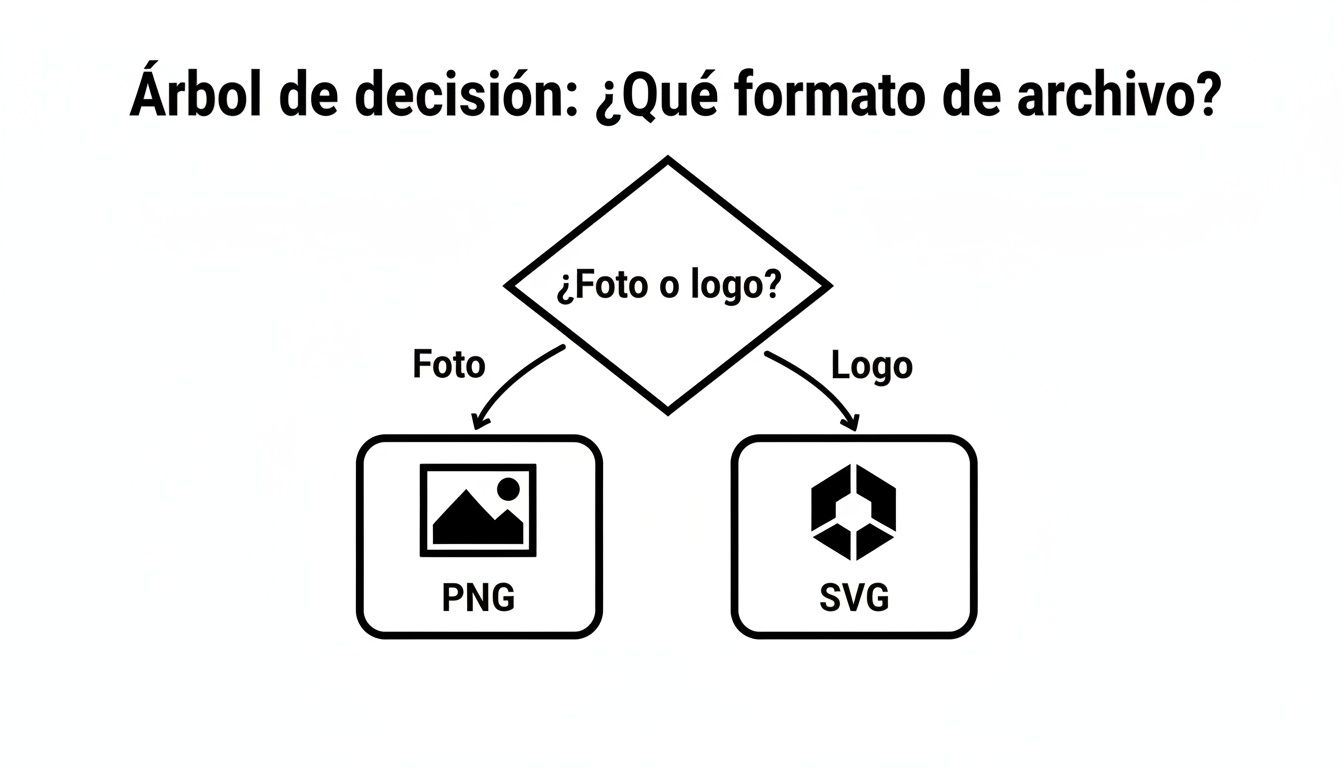
As the image shows, complex photographic designs benefit from the PNG format, ideal for DTG printing, while sharp logos and text work wonderfully as SVG, the perfect format for screen printing or vinyl. Your design choice and printing technique always go hand in hand.
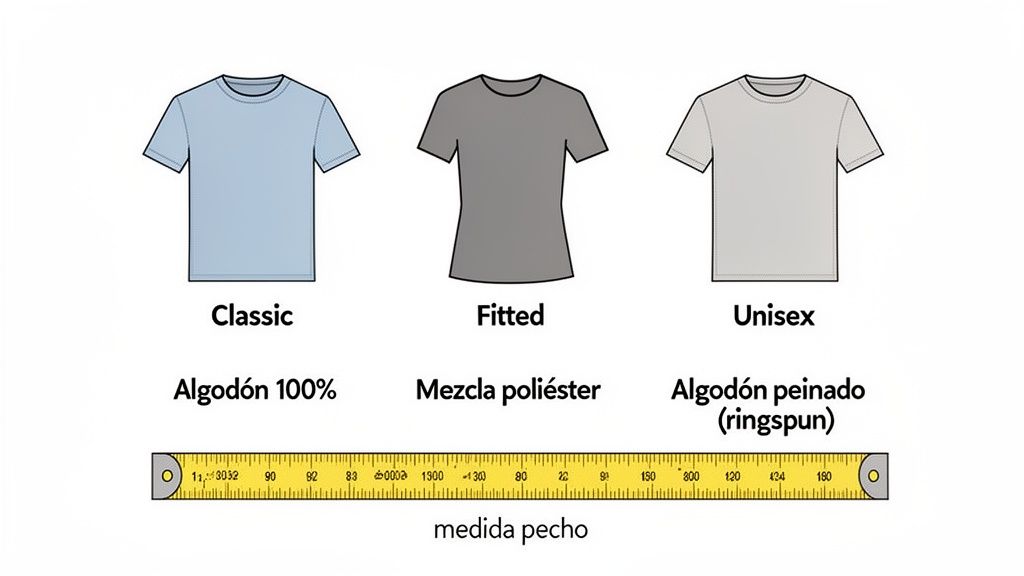
An amazing design on a poor-quality t-shirt or one that doesn’t fit you well is doomed to live in the back of your closet. Let’s be honest: the choice of fabric and cut is just as crucial as the art you print on it. Your comfort, durability, and ultimately the look of your custom-designed t-shirts depend on it.
Think of the fabric as your canvas. Each material offers a completely different experience, and understanding the differences will help you choose the perfect base for your project. This way you’ll make sure the result not only looks luxurious, but also makes you want to wear it.
Not all t-shirts are the same, not by a long shot. The fabric composition directly affects the feel, how the garment drapes, and most importantly, how it receives the printing ink. Here I break down the most common options so you get it right the first time.
100% cotton: It’s a classic for a reason. Soft, breathable, and super comfortable. It’s the ideal option for everyday wear and, above all, for techniques like DTG printing, where the ink is absorbed beautifully into the natural fibers and achieves vibrant colors and incredible feel.
Polyester and cotton blends: These t-shirts combine the best of both worlds. Cotton provides softness and polyester adds strength, durability, and most importantly, greatly reduces wrinkles. Perfect if you’re going to put them through a lot.
Combed or ring-spun cotton: This is premium cotton. The combing process removes impurities and shorter fibers, creating an incredibly soft, lightweight, and durable fabric. If you’re looking for a luxury feel, this is your choice without a doubt.
The choice of fabric also depends on the printing technique. While 100% cotton is king for DTG, polyester blends are more versatile and work great with screen printing or textile vinyl, as they offer a smoother, more stable surface.
Buying clothes online without trying them on is the big challenge for many, but with a couple of tricks, you can minimize the risk of getting it wrong. Getting the right size is essential so your personalized t-shirt fits you like a glove.
The online fashion market in Spain continues to grow. In fact, it is estimated that it will reach a turnover of 28.7 billion euros in 2025, and online sales already account for 28.5% of the total. These figures show that we increasingly trust digital shopping, which is why it is so important to have clear guides to avoid making mistakes.
To avoid surprises, the first thing is to know your own measurements. Don’t rely on the size you always use in other brands, because sizing can vary wildly from one manufacturer to another.
This simple check is the difference between receiving a perfect t-shirt and having to manage a return. To make it easier for you, we’ve prepared detailed sizing charts that will serve as a reference for our products.
Finally, think about the style you’re looking for. The cut of the t-shirt completely changes how the garment will fit you.

Congratulations, you now have your creation in your hands! You’ve put time, effort and creativity into your t-shirts with custom designs, and now comes the final step, which is just as important: taking care of it so the design looks as spectacular as the first day. Good maintenance is what makes the difference between a t-shirt that lasts you years and one that loses all its magic after a few washes.
The key is to adopt a couple of super simple habits that protect both the fabric and, above all, the print. Don’t worry, it’s nothing out of the ordinary, but following these recommendations will make a huge difference in the life of your favorite garment.
First, the most basic and fundamental thing: always wash the t-shirt inside out. This small gesture is your best defense against the number one enemy of prints: friction. By turning it inside out, the design is protected from rubbing against the washing machine drum and other clothes, preventing it from cracking or wearing out prematurely.
Also, cold water is your best friend. Hot water can be very aggressive with inks, especially in techniques like DTG printing, and can cause colors to fade.
A well-cared-for print not only looks better, but speaks to the quality of your design. Preserving it is keeping alive the story your t-shirt tells.
Forget about the dryer. Seriously. Intense heat is another major enemy of your custom t-shirts. Not only can it shrink the cotton, but it can irreversibly damage textile vinyl and screen printing or DTG inks.
The best option, without a doubt, is to air dry the garment. If possible, in the shade, so direct sun doesn’t fade the colors. Simply hang it on a hanger or clothesline. And yes, if you turn it inside out, even better.
Finally, the iron. If you need to touch up the t-shirt, do it from the inside as well. Never, under any circumstances, pass a hot iron directly over the print. Direct heat could melt it or cause it to stick to the iron, creating a complete disaster. With medium temperature and ironing from the inside, it will look perfect without putting your artwork at risk.
Nowadays, designs with retro references and very vivid colors are very popular; taking good care of them is key so they don’t lose their charm. If you want to stay up to date, you can check out the latest t-shirt trends at Accio.com. With these small gestures, your t-shirt will look new for a very, very long time.
When you get into the world of custom designed t-shirts, it’s completely normal for your head to fill with questions. From the most technical details about image quality to questions about how long the print will last, having things clear is essential so the result is what you have in mind.
We’ve gathered here the questions we get most often day to day. The idea is to give you direct and simple answers so you can launch into creating your designs with total confidence.
This is, without a doubt, the million-dollar question and the main reason why sometimes prints don’t come out as they should. For your design to print with professional sharpness, the golden rule is one: 300 DPI (dots per inch) at the actual size it will have on the t-shirt.
Think of it this way: a low-resolution image, like the ones you see on the internet at 72 DPI, is like trying to make a mosaic with very few pieces. When you enlarge it to print it, you notice the “gaps,” and the result is a pixelated and blurry design that no one wants.
A golden tip: before uploading your file to any platform, open your design program (a Photoshop or a free GIMP works fine) and check two things in the image settings: that the size in centimeters is what you want and that the resolution is at 300 DPI. It’s a minute that saves you a huge headache.
The short answer is no, or at least, you shouldn’t. The vast majority of images you see in search engines, social networks or fan websites are protected by copyright. Using them without permission, especially if you’re going to sell the t-shirts, is illegal and can get you into serious trouble.
It’s one thing to be inspired by something you love and another very different thing to copy it. To avoid problems, you have several much safer options:
Remember that the design is what makes your t-shirt special. Make sure it’s really yours!
Both techniques are very good and durable if you take care of the garment, but their resistance is different. Screen printing is a tank: it applies a thick layer of ink onto the fabric that, once cured, holds up to anything. It’s the champion of resistance to friction and heavy use, which is why it’s used for work clothes or merchandise from band tours.
DTG (direct-to-garment) printing, on the other hand, works differently. Here the ink fuses directly with the cotton fibers. The result is a super soft print, with no relief and great breathability. With proper care (washing in cold water and inside out), a DTG design can last years like new. Over time, you might notice a very slight and gradual fading, very similar to what happens to any t-shirt you buy in a store.
There’s no “better” one than the other. Screen printing is more robust against physical wear, while DTG offers excellent durability without sacrificing the softness of the t-shirt.
This is something that frustrates many people, but it has a logical explanation. Computer, mobile and tablet screens use the RGB color model (Red, Green, Blue), which is based on emitted light. Instead, printers work with the CMYK model (Cyan, Magenta, Yellow, Black), which is based on ink that absorbs light.
Since the systems are different, it’s almost impossible for the colors to be an exact match. RGB colors, especially fluorescent or very bright tones, tend to look a bit duller when converted to CMYK ink.
Professional designers usually work directly in CMYK mode to minimize this difference. If you don’t have control of this, a good trick is to avoid excessively bright colors and assume that there will always be a small variation. A good printer will always do their best to make the conversion as faithful as possible.
Yes, of course you can print on whatever color you want, but how it’s done changes. Printing on a white t-shirt is a breeze. The ink goes directly onto the fabric and the colors come out super vibrant.
The challenge comes with dark t-shirts or those in bold colors. So that your design doesn’t “fade” or get contaminated with the background color, it’s essential to first apply a layer of white ink that serves as a base. On top of that white base is where the final full-color design is printed. This extra step is key for the colors to stand out and look bright, but logically, it also usually increases the cost of printing slightly.
At Tienda Camisetas Frikis we make sure that every design looks spectacular, no matter how complex it is or what color t-shirt you choose. Check out our catalog and get ideas for your next creation. We’re here to help make it awesome!
https://tiendacamisetasfrikis.com
Hundreds of original designs waiting for you in the store.
Join the club and we’ll email your welcome coupon right away. Original anime, gaming and comic designs.